WISPCONTROL Book a demo
The platform · version 5.4

Everything it does,
with no dressing up

This is not a three-bullet brochure. It is the list of what an operator does every day and where they do it inside WispControl. If you are after something specific, it is in the index.

01 · Administration

Customers, contracts
and the money

The module that gets used the most and shows the least when it works. A customer has contracts, a contract has services, and every service knows what it is billed, when, with which tax and to which account.

  • ClientesA record with contracts, services, invoices, payments, tickets, notifications and documents. Search by name, tax ID, phone, IP or device serial number.
  • ContratosBundles and plans, contract terms, discounts with an end date, bank account, payment method and billing cycle by day of the month.
  • ServiciosActivation, temporary suspension, freezing with a maintenance fee, plan change with pro-rata, and cancellation with a reason report.
  • FacturaciónBulk monthly, by delivery note, manual and credit notes, with automatic pro-rata for activations and cancellations mid-cycle.
  • ImpagosA configurable automation: at X days it warns, at Y it adds the surcharge, at Z it suspends. A list, a report and a log of every action.
  • ContabilidadJournal entry export, banks, and reconciliation between what was issued, collected and is still outstanding.
your-operator.wispcontrol.com / customers / record
Customer record with their details, address, administrative data and the summary of credit, deposit, next invoice, debt and service suspension

Everything you see here comes from the same table billing uses. There is no separate spreadsheet someone has to remember to update.
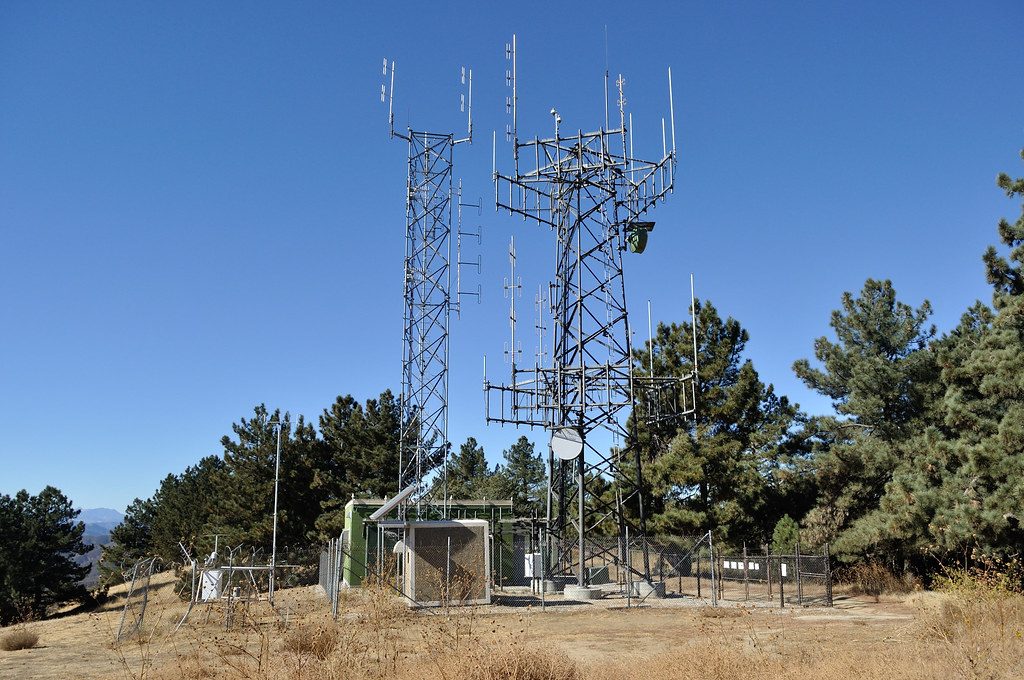
Communications towers at a site
When a site goes down, two clicks give you the list of affected customers.
02 · Technical and network

The network, with names
and surnames

Every connection knows which antenna it comes off, with which IP, which RADIUS profile and which CPE is installed, down to its serial number. And you can warn customers before they call.

  • ConexionesGuided activation, advanced search, bulk changes, prepaid, IP and MAC history, and a status log.
  • ProvisioningWrites straight to MikroTik, OLT, RADIUS and ACS when a service is activated, changed or suspended.
  • MonitoringTraffic per interface, availability, historical graphs and usage per customer.
  • CopiasAutomatic backup of every router's configuration, with a diff between versions.

A living inventory

Routers, switches, sites, point-to-point links and access points, with their IP, their model and which tower they belong to.

IP addressing

Subnets, RADIUS and MikroTik pools, static IPs, reservation and release on cancellation.

Signals and planning

Signal management per customer and frequency planning per sector, so you don't interfere with yourself.

Alerts and logs

Site outages, signal thresholds, network log and syslog. The alert opens a ticket and notifies.

03 · Fibre optics · GeoRed

Your FTTH plant stops
living inside a KMZ file

GeoRed is not a map with customers on it. It is the network: the OLT, the trunk, the splices, the splitters, every distribution box with its ports and the customer hanging off port 4. If you open a box to add someone, the system already knows whether there is room.
  • ElementosOLTs, chambers, manholes, poles, splices, splitters, distribution boxes and drops, each with its own record and photos.
  • TrazadoThe cable runs where it actually runs: real distances, fibre type, number of strands and accumulated loss down to the customer.
  • KMZ importThe engineer's project goes in as it is and becomes network. In batches, and if something goes wrong the whole batch is undone.
  • Coverage and outagesSales can check whether an address has fibre; a trunk cut flags every customer hanging off it.
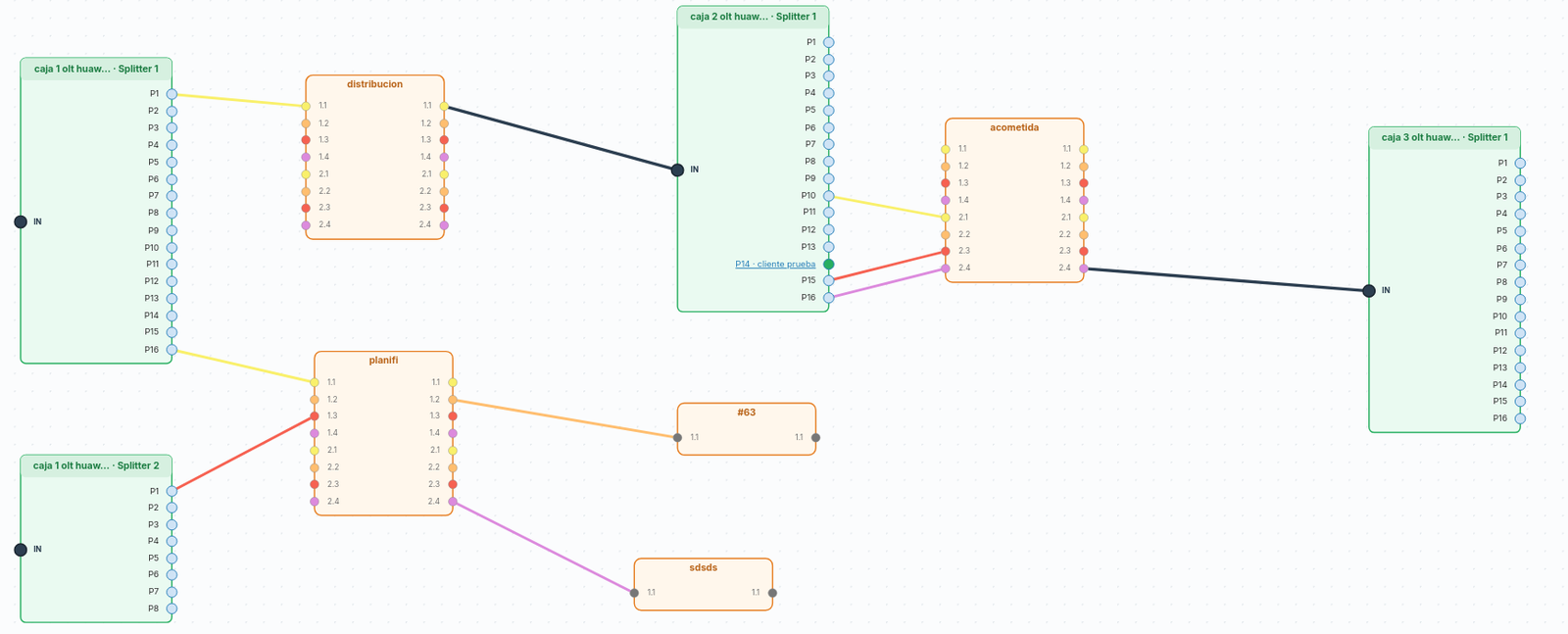
geored / strand diagram
Strand diagram: boxes, splitters and ports joined by the coloured fibres, with the customer on port 14
The real strand diagram: which fibre from which cable goes into which port of which splitter, and which one each customer hangs off.
connection / signal history
Optical signal history for a connection: receive, transmit and power over time, in a table and a graph
Every customer's optical signal, kept over time. When someone says «it's been bad since Thursday», this shows whether that's true and since when.
04 · Warehouse

Every device has
a serial number and an owner

The warehouse in version 5.4 tracks the physical unit, not the pile. You know which specific ONT came in on which order, which van it travelled in, whose home it is in and whether it came back when they cancelled.
  • ExistenciasStock per warehouse, van and technician, showing what is committed in unconfirmed transfers and what is genuinely free.
  • TraspasosMovement between locations picking the device by serial number or MAC, with a PDF delivery note and signature.
  • ComprasPurchase orders to the supplier as PDF, agreed price against last price paid, and a comparison across suppliers.
  • Labels and stock countsPrinting with barcode or QR, for the product or for each unit, and continuous scanning during stocktakes.
  • VehículosVan paperwork, reminders for the MOT, insurance and service, mileage, and automatic replenishment to minimum levels.
  • Write-offs and RMAsA reason for every write-off, a warning if the device was still under warranty, and equipment never recovered from cancelled customers.
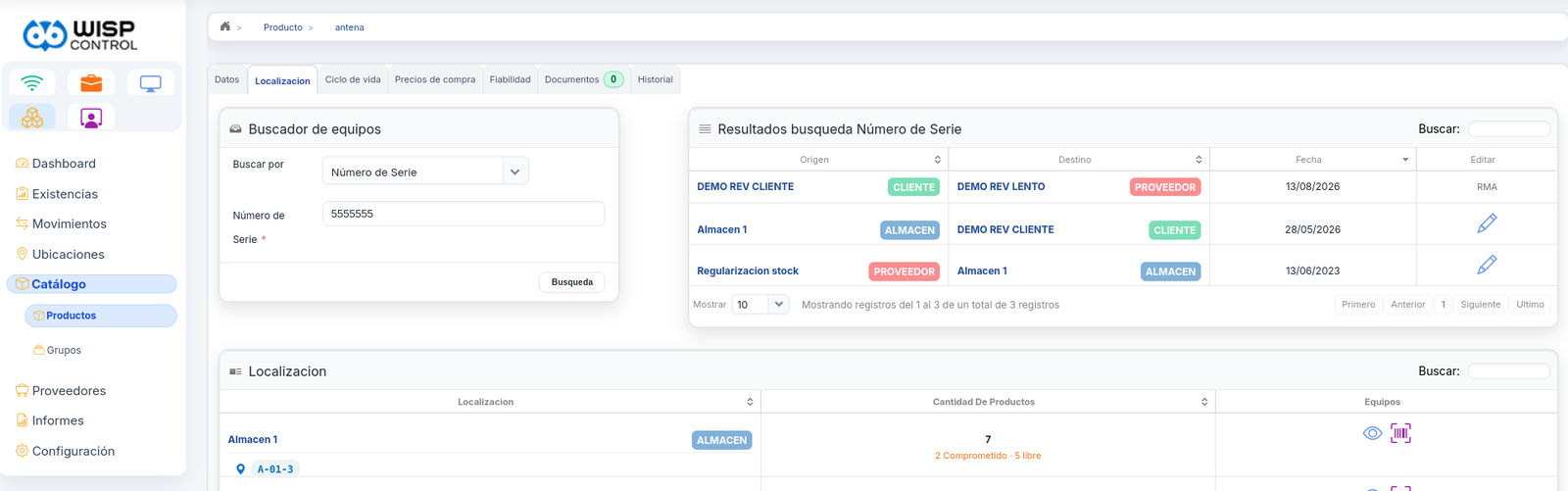
warehouse / product / location
Search by serial number with the device's history and stock by location
One serial number and its whole life: purchase, installation at a customer and RMA.
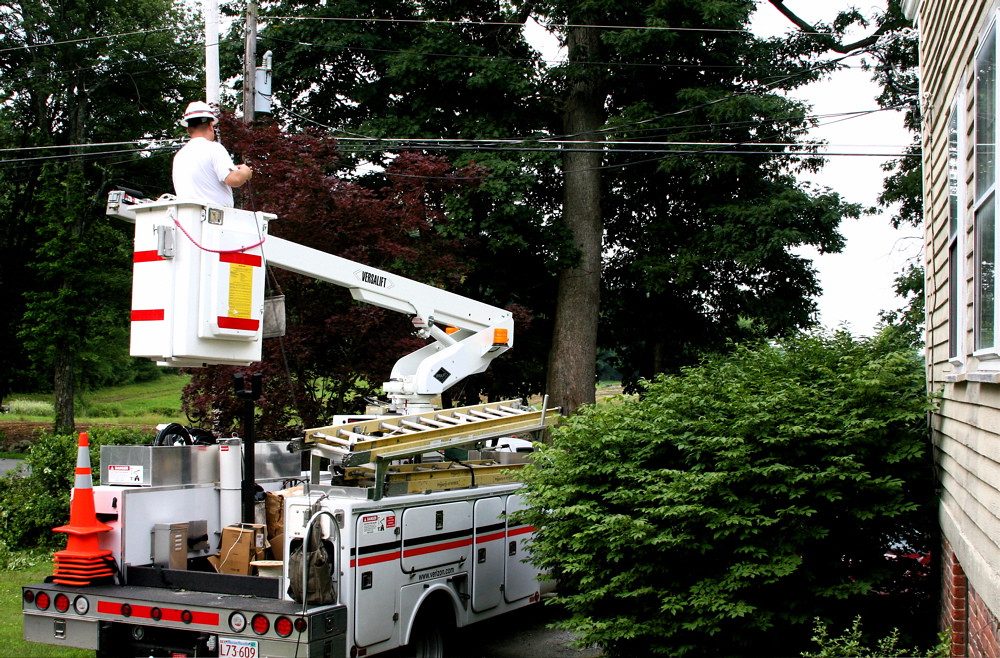
Technician working from a cherry picker
The unrecovered equipment report tells you how much money you have scattered around out there.
View of a city with a communications tower
Coverage is measured on the map before anyone promises anything.
05 · Sales and commissions

Selling is a process
as well

The sales rep works on the same database as administration. When they close a sale they do not fill in a form for someone else to retype: the lead becomes a customer with their contract, their plan and their installation appointment.

And commissions work themselves out from what each person has brought in, on their own terms: per sale, per contract term met and per product type. Out come settlements by period, targets and a leaderboard that, funnily enough, people do look at.
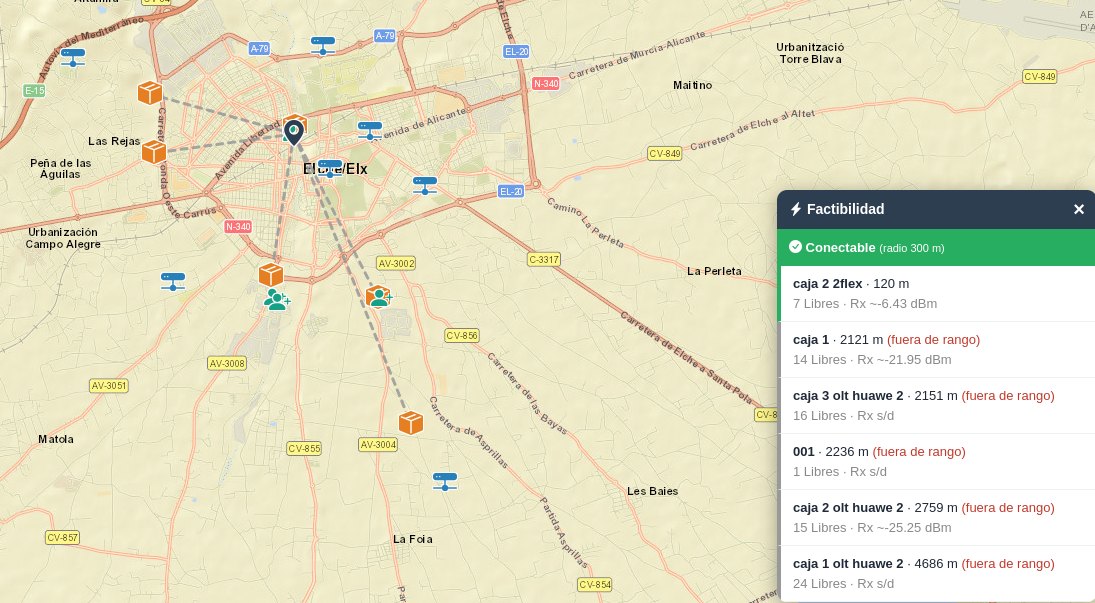
sales / feasibility
Feasibility study on the map: boxes sorted by distance, with the free ports and the estimated signal of each
The boxes sorted by distance, with the free ports and the estimated signal of each. Connectable or not, and why.

Interesados

Who called, where they came from, who is handling them and where it stands, with a reminder so the lead doesn't go cold.

Cobertura

Anyone outside goes onto the list of leads without coverage, for when the fibre arrives.

Cartera

Accounts assigned per rep, visit calendar and retention follow-up.

Comisiones

Generated per sale and per contract term, with settlements, targets and a sales leaderboard.

06 · Telephony and TV

Fibre, mobile and TV
on a single bill

Nine MVNOs connected, the Zapi TV platform integrated, automatic CDR import and rating with the cost right next to the price. The customer gets one document and pays once.

  • OperadoresAire Networks, Cablemóvil, Finetwork, Lemonvil, OnMóvil, Avatel, Likes, Silbo and Telecom Boutique, plus a generic API or SFTP connection.
  • CDRScheduled download, detection of missing files and duplicate control.
  • TarificaciónBy destination and time band, with bundles, included minutes and overages. Wholesale cost against retail price, line by line.
  • LíneasActivations, cancellations, number porting, plan changes and SIM status without leaving the customer record.
  • TV with ZapiActivation creates the subscriber, assigns the subscription and registers their devices. Suspension for non-payment reaches the TV too, and everything appears on the same bill.
See the carrier table
Telephony reconciliation August
OperadorLíneasCosteVenta
Aire Networks4123 984 €6 118 €
Finetwork1281 216 €1 792 €
Lemonvil54497 €702 €
Landline · CDR311 €598 €
Margin for the month+3 202 € · 34,4 %
07 · Tickets and Call Centre

From «my internet is down»
to the signed work order

A ticket is not just a ticket: it carries the customer, the device, the site, the assigned technician, the appointment, the materials used and the work order the customer signs at the end.

Step 1

Entrada

By phone, from the customer portal, or raised on its own by a network alert.

Step 2

Asignación

To the area technician, with their calendar, their holidays and their appointments already loaded.

Step 3

Parte

Work done, materials taken from the van and the customer's signature on the PDF.

Step 4

Cierre

It is invoiced if it was chargeable, the stock is deducted and it stays in the customer's history.
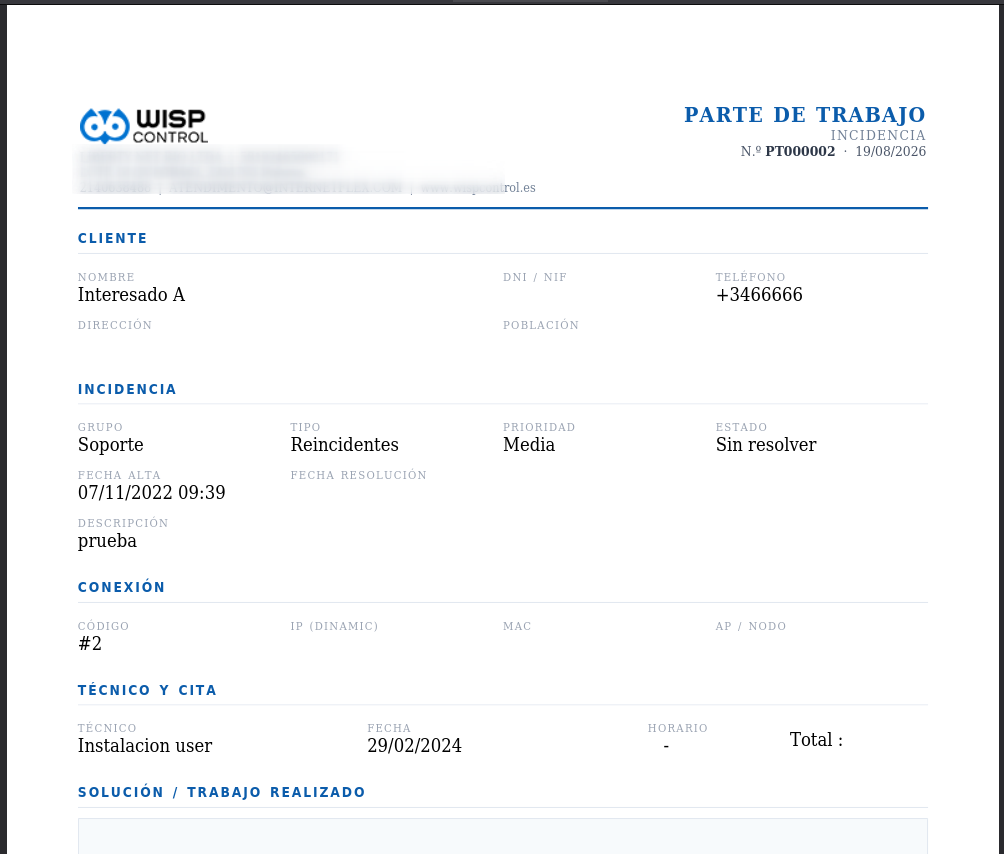
work order · PDF
Work order as PDF: customer details, the ticket, the connection, the technician and the appointment, plus space for the fix
The work order the technician takes with them and the customer signs at the end.
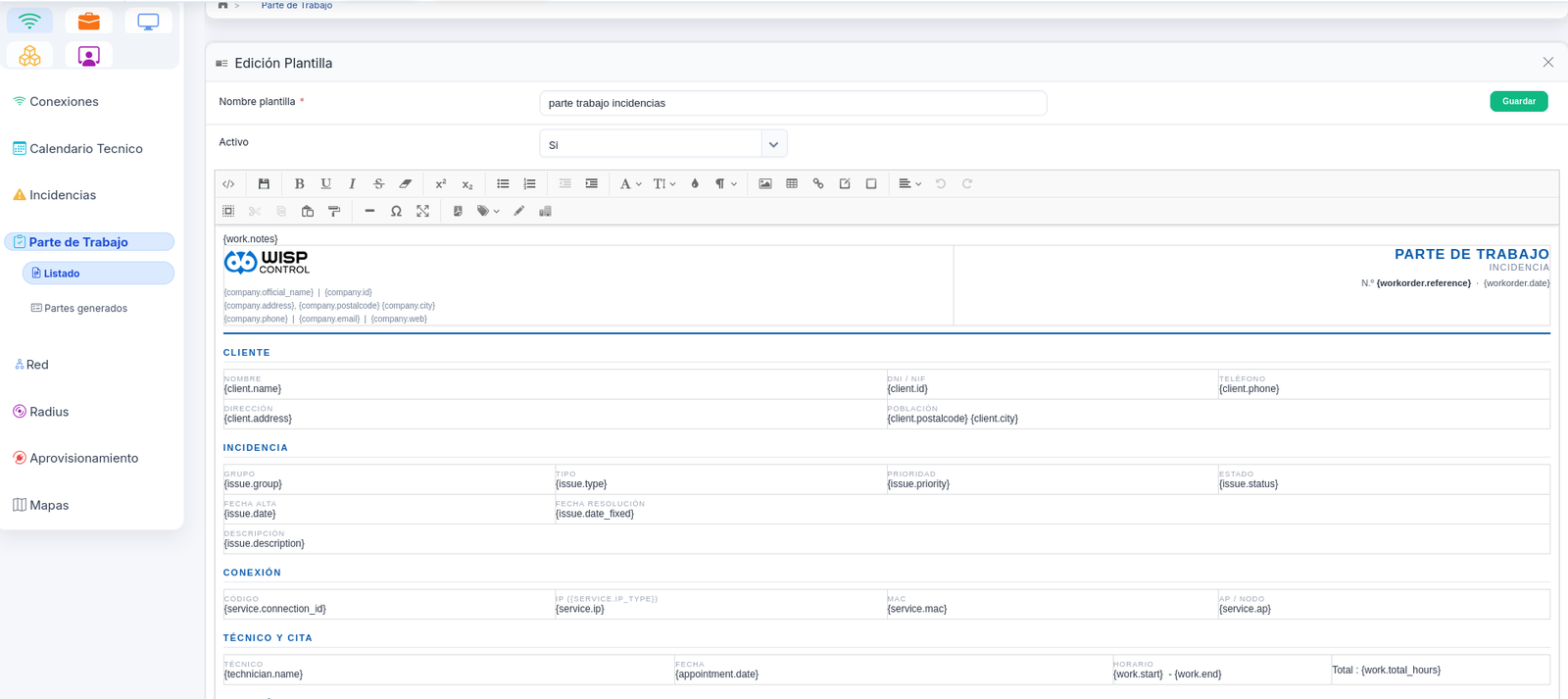
work order / template
Editor for the work order template, with the dynamic fields in braces
And the template is yours: you edit it like a document and the data fills itself in through the fields in braces.

A console for whoever answers the phone

A single support screen: you find the customer while they are talking, see whether they are suspended for non-payment, whether there is an open outage in their area, when they last paid, and you open the ticket without navigating six menus. Designed to run in kiosk mode, with no access to the rest of the system.

  • The moment you pick upCustomer identified by phone number, with their status and services on screen.
  • Area outageIf the site is down, the agent sees it before opening a duplicate ticket.
  • AccionesReboot the CPE, check the signal, book an appointment and take an outstanding payment.
08 · System and team

The boring part, sorted

An operator's ERP also ends up being where people clock in, where holidays are requested and where it is recorded who touched what. It is all in here, with the same user and the same permissions.

Users and permissions

Roles per module and per screen. Multi-company with its own invoice series, banks and logos.

A dashboard you lay out

Each user places their widgets, resizes them and hides the ones they don't use. The layout is saved for them: the dashboard of the person doing the billing needn't look anything like the one of the person climbing a tower.

Time tracking

Clock-in with breaks, corrections, shifts, a signed monthly record and holidays. It meets working-time recording rules.

Personal diary

Your own private tasks, with repeats and reminders, that show on the team calendar as «busy».

Notifications

Bulk and automatic, by email, SMS and WhatsApp, with templates per language and a delivery log.

Estadísticas

Sign-ups over the last twelve months, traffic, usage, the customers with the most tickets and performance per technician.

Our own API

So your website can create contracts and your tools can query customers, invoices and tickets without typing anything twice. With documentation and hands-on help.

Seven languages

Spanish, Catalan, English, French, Italian, Portuguese and Latin American Spanish. Notifications go out in the customer's language.

09 · Customer portal and app

Your customers serve
themselves

A web portal with your domain and your logo, and your own app for iPhone and Android. At eleven at night or on a Saturday: what used to come in by phone the customer solves from their mobile, and it lands in WispControl already classified and with the customer identified.

  • Pay their invoicesThey see what they owe and pay it by card or Bizum. The payment reconciles itself and the suspension is lifted instantly.
  • Check their usageThis month's data, calls, contracted speed and a traffic graph. Fewer arguments about the bill.
  • Open ticketsThey describe the fault, attach a photo and pick a visit slot, which lands on the area technician's calendar.
  • Order new servicesUpgrade speed, add a mobile line or sign up for TV, with the request going straight to sales.
Your app onApp Store Your app onGoogle Play And alsoPortal web

It is not a WispControl app with your logo inside: it is your app, published in the stores under your operator's name. Your customers search for your brand and download yours.
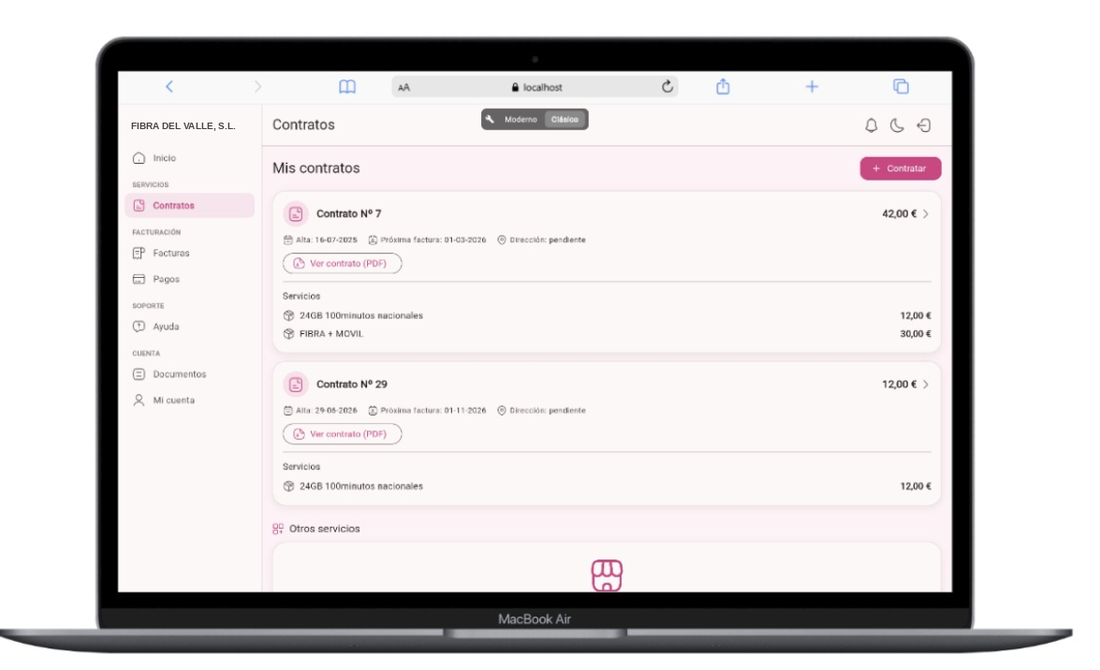
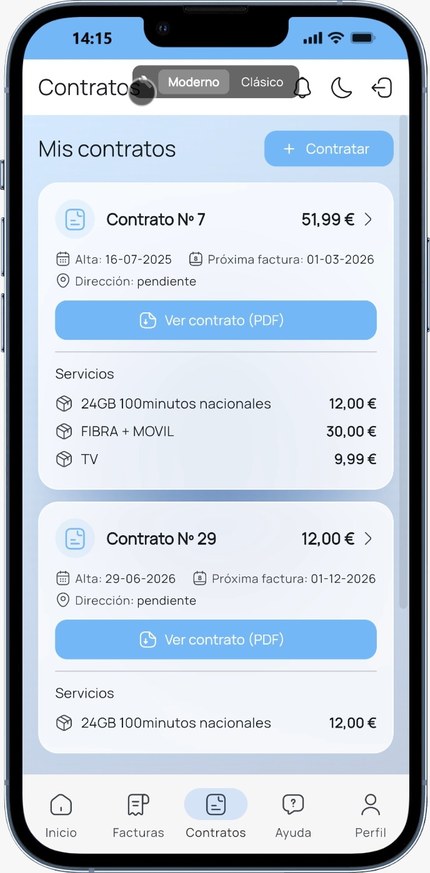
Customer portal with their contracts and services
Customer app: contracts with fibre, mobile and TV

With your brand, your colours and your plans. The customer never sees the WispControl name.

Nine sections written
on a single page

In half an hour we'll show you the three that matter to you, with data like yours. No PowerPoint.

Book a demo See pricing