Billing, customers, wireless network, fibre, warehouse, mobile telephony and the sales team on the same database, with a portal and app for your customers and our own API for whatever else you run. The order a sales rep signs in the morning is provisioned, invoiced and on the map by the afternoon.
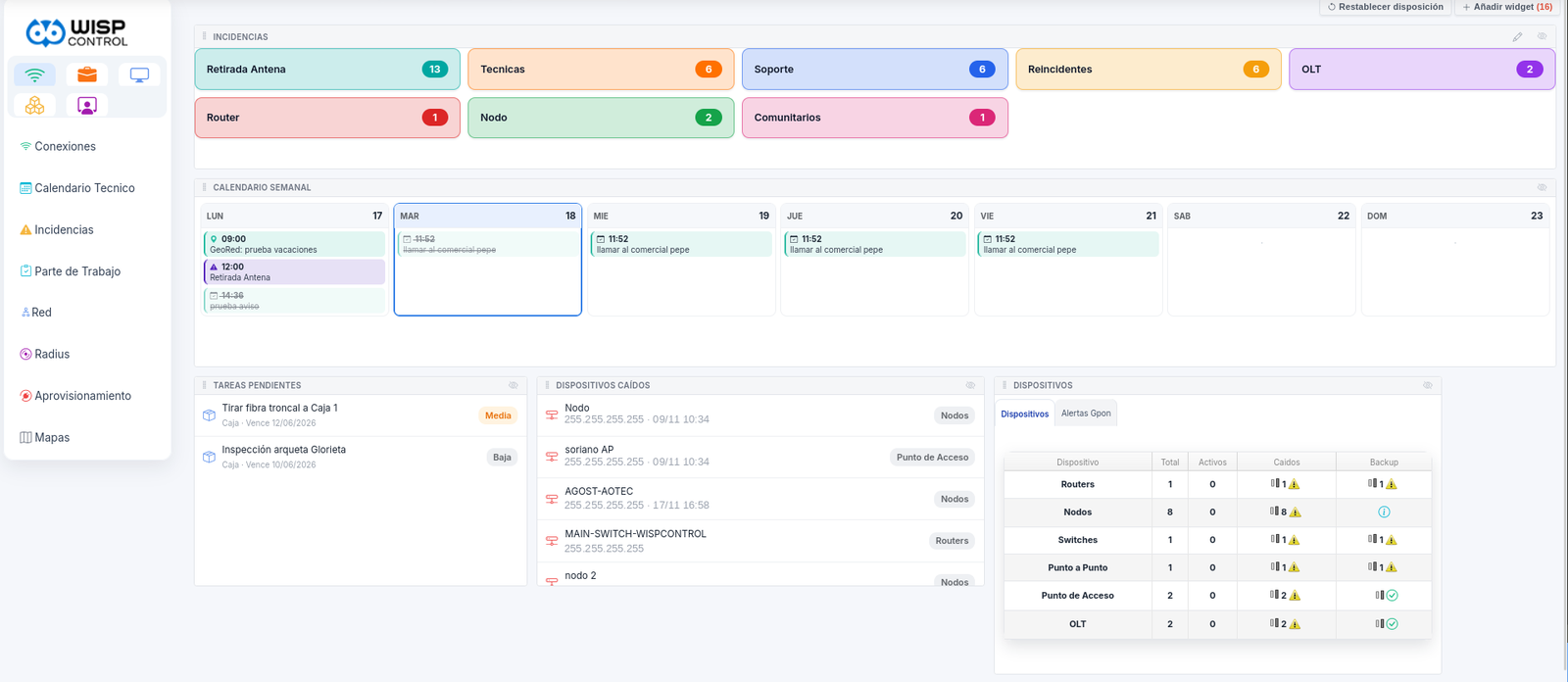
The real dashboard, not an illustration. And every user builds their own: drag the widgets, resize them and hide the ones you never use — top right, «Add widget».
It talks to the equipment and the carriers you already work with
9integrated modules
19network vendors
5tax frameworks
7interface languages
The platform
Nine modules that really do talk to each other
The platform comes whole: no adding modules one by one, no paying extra for the one you'll need tomorrow. Each user sees what their permissions allow, and the customer is never duplicated: you never have to enter them twice.
Administration
Customers, contracts, services and the whole money cycle.
Recurring billing, delivery notes and quotes
Payments, SEPA direct debit files and card charges
Arrears with automatic reminders, surcharges and suspension
Journal entry export to accounting
Verifactu and electronic invoicing
Technical and network
The connections and the equipment holding them up.
Routers, switches, sites, PtP links and access points
Subnets, RADIUS pools and MikroTik pools
Signal management and frequency planning
Alerts, network log and built-in syslog server
Automatic configuration backups
Fibre optics · GeoRed
A real GIS for your FTTH plant, not a map with pins.
OLTs, splitters, distribution boxes, splices, poles and cable
Real routing with metres and optical loss
KMZ import of the project, fully reversible
Free and used ports per box
Coverage the sales team can check
Warehouse
Traceability by serial number, from supplier to customer.
Transfers between warehouse, van and technician
Purchase orders, stock counts, RMAs and write-offs
Barcode or QR labels
Minimum stock and van replenishment
Report of equipment never recovered
Sales
From the lead with no coverage to the loyal customer.
Leads, portfolios and account assignment
Coverage measured on the map
Sales calendar and visit scheduling
Churn capture with reasons
Quotes with approved discounts
Comisiones
What each rep earns, worked out on its own.
Commissions per sale and per contract term met
Settlements by period
Targets and sales leaderboard
Profitability per acquisition
Telephony and TV
Mobile, landline and TV with the rating reconciled.
Nine MVNOs connected by API or SFTP
Automatic CDR import
Wholesale cost against retail price
Number porting and line status
TV through Zapi: activation, subscription and devices
Converged bundles on a single invoice
Incidencias
One report, one work order, one technician, one part.
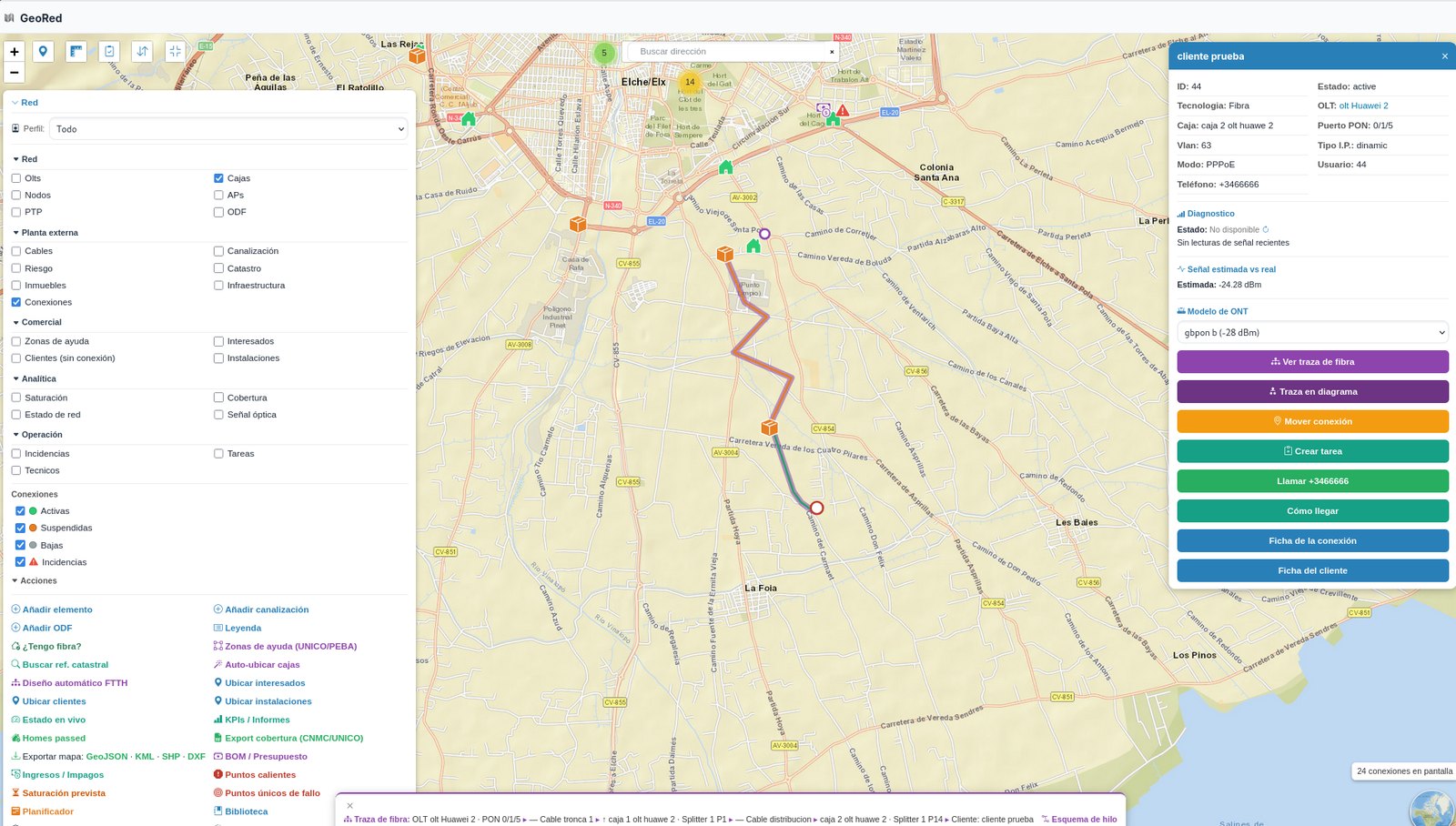
GeoRed holds the real network: the OLT, the trunk, the splices, the splitters, every distribution box with its ports and the customer hanging off port 4. If you open a box to add someone, the system already knows whether there is room.
Every element, on the mapOLTs, chambers, manholes, poles, splices, splitters, distribution boxes and drops, each with its own record and photos.
Routing with real distancesFibre type, number of strands and accumulated loss down to the customer. Not a straight line on Google Maps.
KMZ import in batchesThe engineer's project goes in as it is and becomes network. If it goes wrong, the whole batch is undone.
Occupancy per boxFree and used ports, so you know where you can sell without driving out to check.
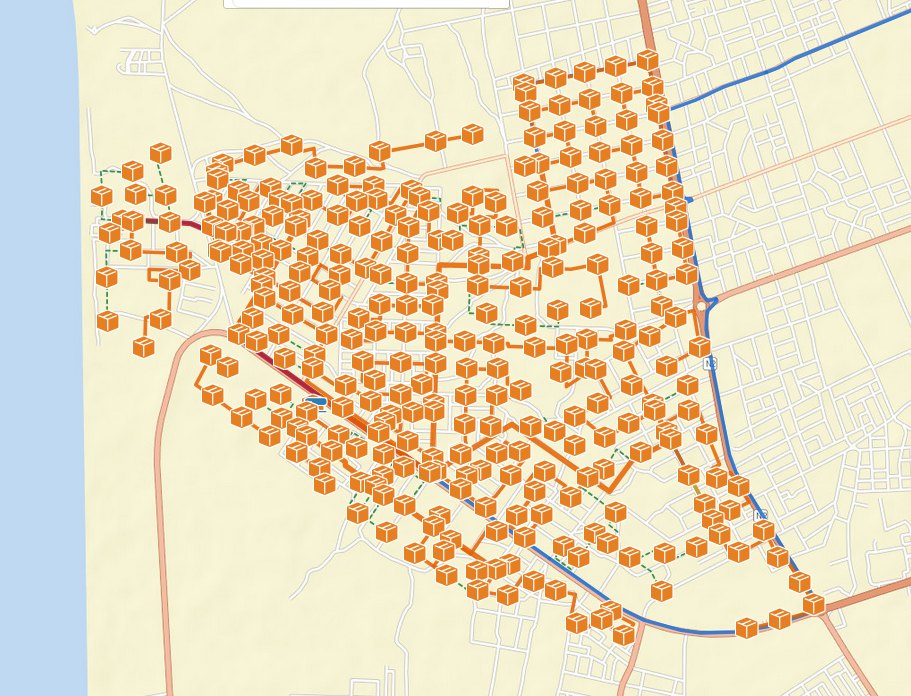
geored / deployed plant
An entire deployment, box by box, with its trunk and distribution.
your-operator.wispcontrol.com / geored
The full path, from the OLT to the customer: box, splitter, PON port, VLAN and estimated optical signal, with the cable drawn where it actually runs. Below, the fibre path written step by step; on the right, the actions you can trigger without leaving the map.
Billing and collection
You invoice on the 1st. By the 2nd it's at the bank
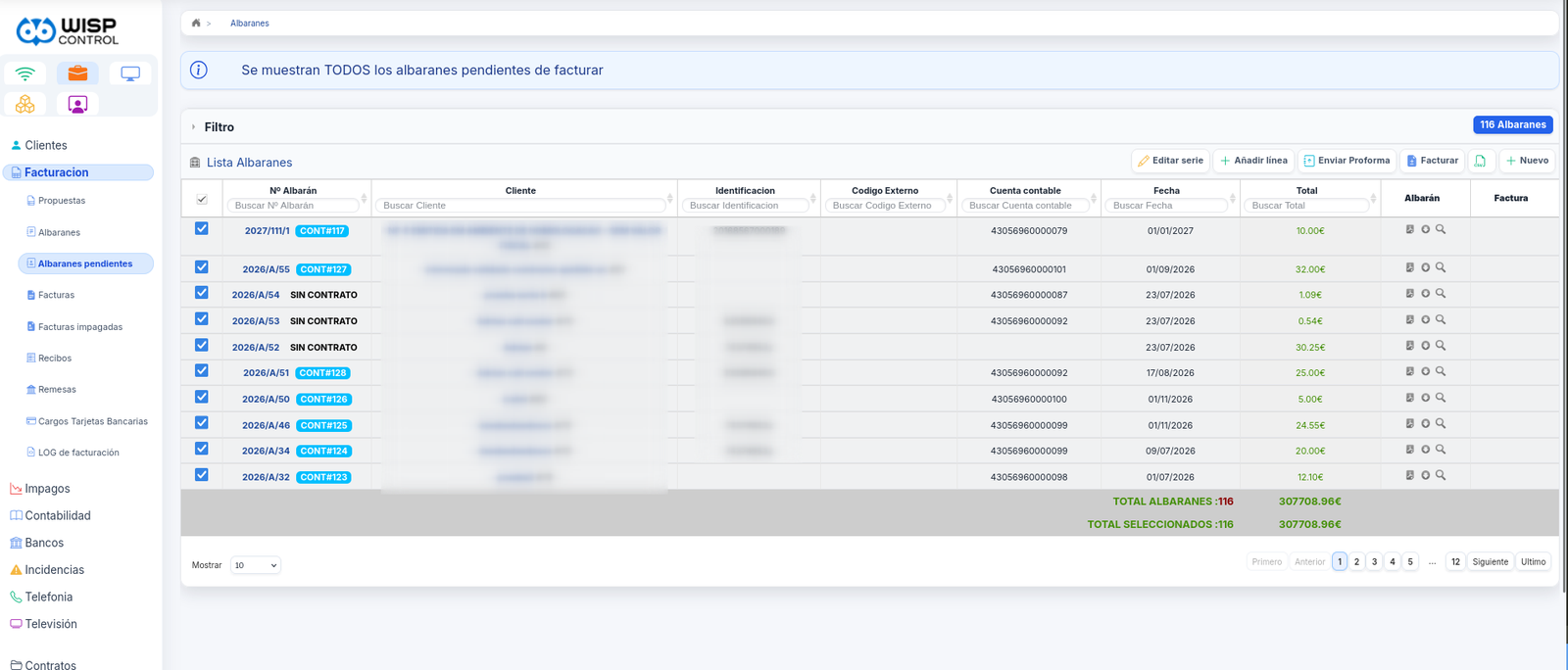
Bulk billing generates the month's invoices with their pro-rata amounts, discounts, contract terms and bundles, groups them into the direct debit run and leaves the file ready to upload. Whatever bounces goes straight into the arrears process on its own.
116 pending delivery notes, €307,708.96 selected and one button. That is your month-end.
Payment however they like
SEPA direct debit, recurring card, Bizum, bank transfer and cash at the office.
Arrears on autopilot
Escalating reminders, surcharge, service suspension and reactivation on payment, on the schedule you set.
Five tax frameworks
Verifactu in Spain, NFCom in Brazil, AFIP in Argentina and SUNAT in Peru.
Your accountant, happy
Journal entry export, bank reconciliation and output VAT ledger.
Provisioning
The network configures itself or it is no use at all
Activating a service writes the queue on the MikroTik, creates the RADIUS user, provisions the ONT on the OLT and pushes the TR-069 profile to the customer's router. Suspending for non-payment is a checkbox, not an afternoon.
Simple and tree queues, PPPoE, hotspot, address lists, pools, DHCP, configuration backup and replication between routers.
GPON OLT
Huawei and ZTE: ONT provisioning, line and service profiles, VLANs, optical power levels and per-port diagnostics.
TR-069 · ACS
GenieACS built in: firmware library, parameter templates and the customer's wi-fi changed remotely.
RADIUS
PPP and wireless NAS, attributes per profile, session and usage accounting, and replication between servers.
Monitoring
SNMP, traffic graphs, outage alerts that notify the area technician, and a built-in syslog server.
Bequant
TCP acceleration and bandwidth shaping per customer, with statistics on the improvement achieved.
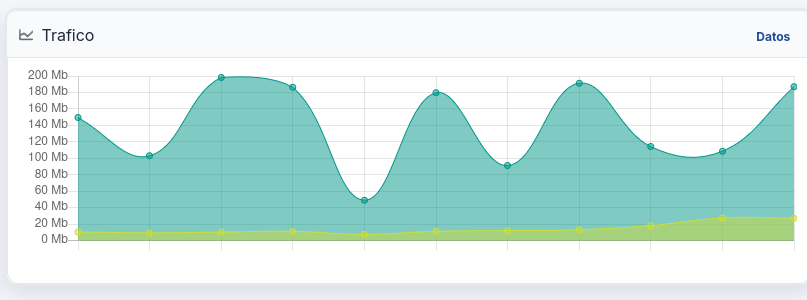
network / router / traffic
Traffic for every router, site or customer, without setting up a separate Cacti.
Integrations
Connects to what you already have
Network equipment, OLTs, wholesale fibre carriers, MVNOs, payment gateways and SMS or WhatsApp delivery. And if something isn't there, the carrier module takes generic API and SFTP connections.
Trademarks and logos belong to their respective owners; they appear here to indicate compatibility.
And if what you want to connect is your website or an AI
WispControl has its own API. Your website can create a contract straight from the sign-up form, your dashboard can read the month's activations and cancellations, and any tool you use can query customers, services, invoices or tickets without anyone typing anything twice.
Sign-up from your own siteThe customer signs up on your page and the contract, the service and the first invoice create themselves.
Data queriesCustomers, contracts, services, invoices, payments and tickets, with access controlled by credentials.
Sign-up flow on your siteThe visitor picks a plan, fills in their details and signs on your page; the contract, the service and the first invoice create themselves, and the installation lands on the technician's calendar.
AI agentPlug in a conversational agent for the repetitive part —how much they owe, when the next invoice is due, opening a ticket— and have it hand over to a person when it should.
Documentation and supportWe give you the documentation and walk you through the first integration.
WispControl API service activation
# Dar de alta un servicio desde tu webPOST /api/v1/servicios
{
"cliente" : 4812,
"producto" : "fibra-600",
"direccion" : "Ctra. de la Sierra 14",
"alta" : "2026-09-01"
}
# Respuesta
{
"contrato" : 2219,
"estado" : "pendiente_instalacion",
"cita" : "2026-09-04 10:00"
}
Working with something that isn't on the list?Tell us which vendor, wholesaler or gateway you use and we'll tell you whether it connects, and when.
José GiménezSales Director at WiFi CanariasInternet operator · Canary Islands
After working with WispControl, it is hard to imagine running WiFi Canarias day to day without a tool that centralises and automates everything the way this one does.
«It is one of those tools we use practically every day and that has become essential to how we work. It lets us keep all the information about our customers and services far better organised and, above all, it makes the daily work easier.
One of the things we value most is that it does not stop at basic management: it lets us adapt the tool to our needs and automate processes. In our case we have made good use of that to improve sales and admin tasks that would otherwise take us far longer.
We also like that it is a platform built specifically for the WISP/ISP sector, because many of the needs we have as an operator are already covered and we do not have to look for outside solutions for every little thing. It is a platform that helps us work better, save time and, in the end, have more control over our business.»
What leaves the van is deducted when the work order is closed, not at month-end.
Warehouse
Every device has a serial number and an owner
The warehouse tracks the physical unit, not the pile. You know which specific ONT came in on which order, which van it travelled in, whose home it is in and whether it came back when they cancelled.
Transfers with delivery note and signatureBetween warehouse, van and technician, picking the device by serial number or MAC, with a signable PDF.
Purchasing at agreed pricesPurchase orders to the supplier as PDF, agreed price against last price paid, and a comparison across suppliers.
Vans that restock themselvesMinimum stock per vehicle, an automatic draft transfer, and reminders for the MOT, insurance and service.
Equipment that never comes backA report of devices still sitting in the homes of cancelled customers, with their cost and the days elapsed.
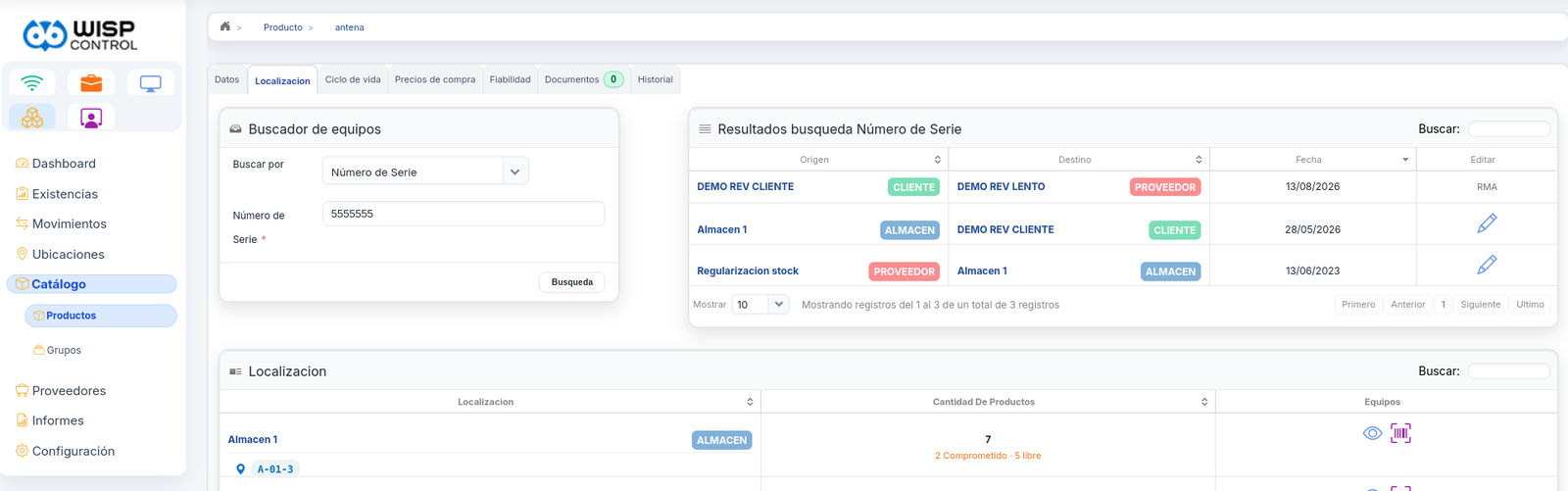
Type a serial number and its whole life comes up: it came in from the supplier in 2023, was installed at a customer in May and came back in August as an RMA. Below, where the rest of them are: 7 units in Warehouse 1, shelf A-01-3, two committed and five free.
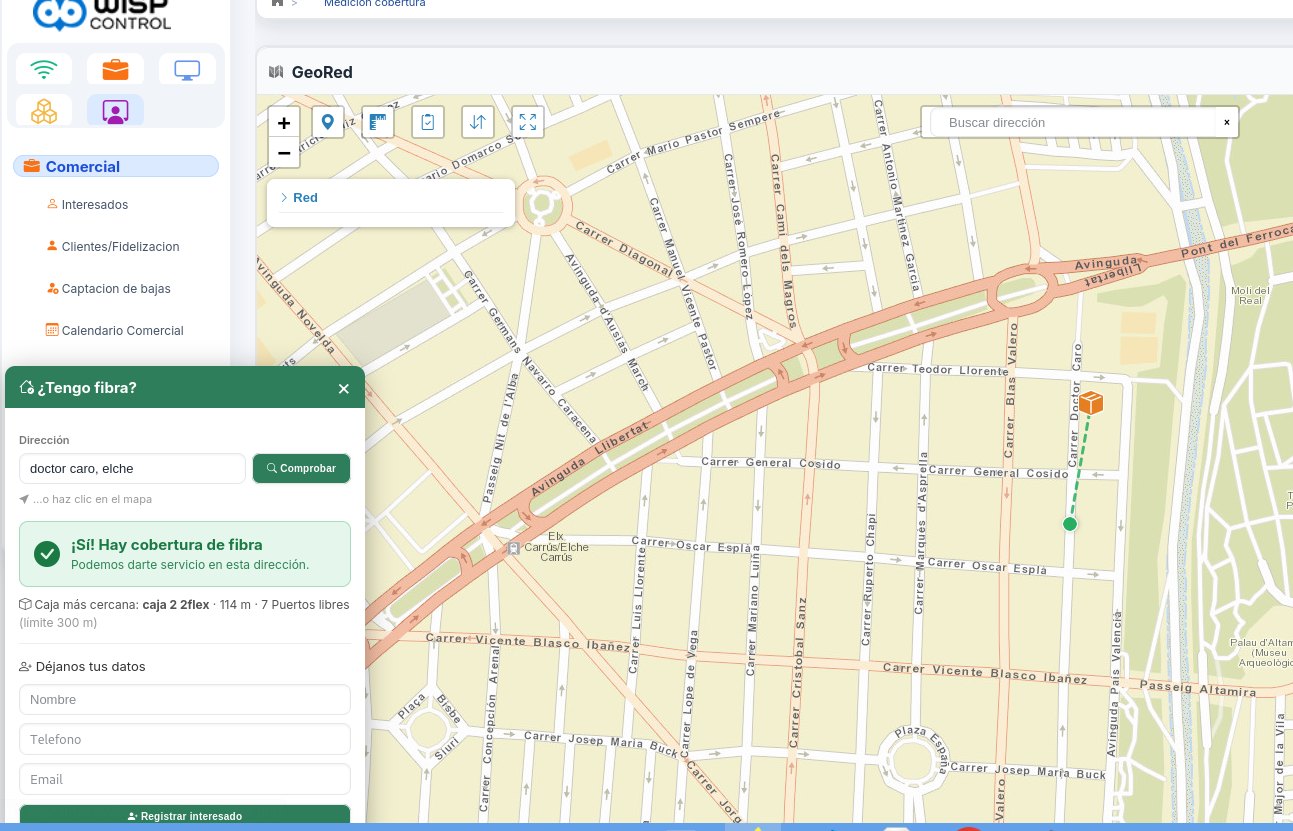
your-operator.wispcontrol.com / sales / coverage
Type the address and it answers: yes, there is fibre, the box is 114 m away and it has 7 free ports left. And the lead is registered right there.
Sales and commissions
Selling is a process as well
The sales rep works on the same database as administration. When they close a sale they do not fill in a form for someone else to retype: the lead becomes a customer with their contract, their plan and their installation appointment.
Coverage before promisingMeasured on the map; anyone outside goes onto the list of leads without coverage, for when the fibre arrives.
Portfolios with an ownerAccounts assigned per rep, visit calendar and retention follow-up.
Commissions without a spreadsheetPer sale and per contract term met, with settlements, targets and a leaderboard people actually look at.
Churn you win backA reason for every cancellation, and campaigns aimed at those who left.
Customer portal and mobile app
Your customers serve themselves
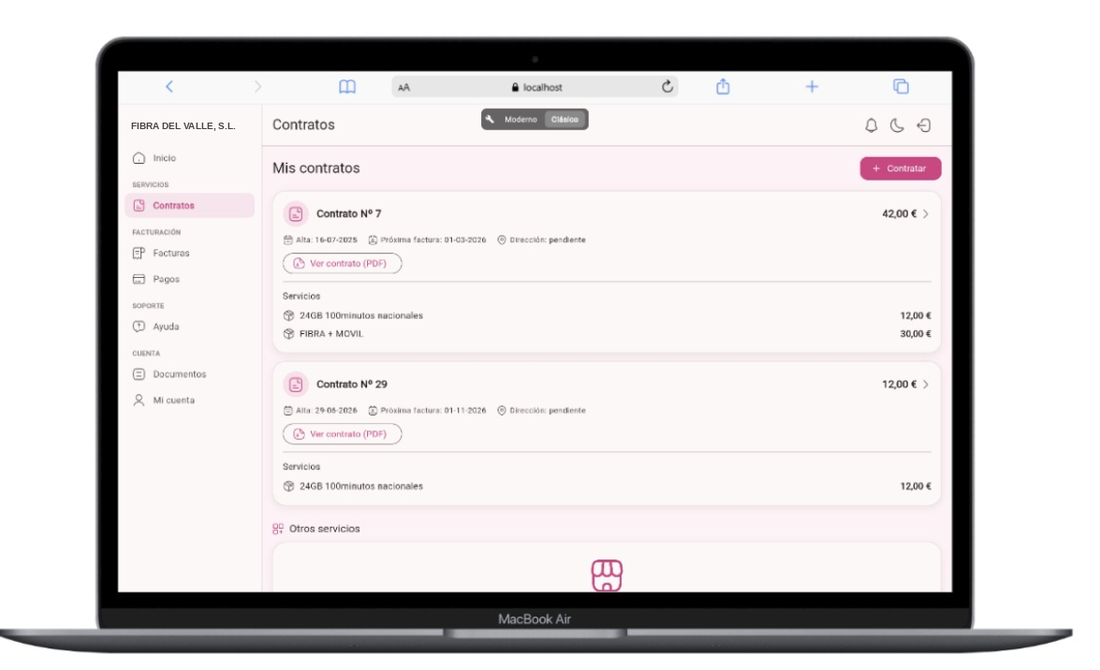
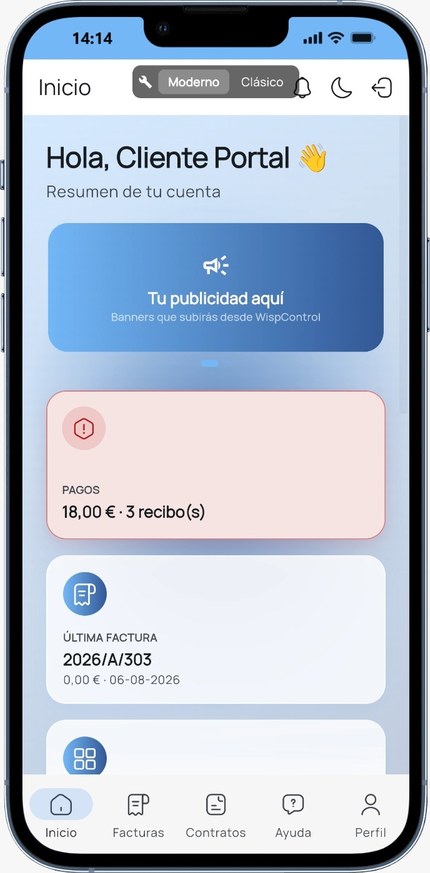
A web portal with your domain and your logo, and your own app for iPhone and Android. At eleven at night, on a Saturday or from the car: what used to come in by phone —«how much do I owe?», «my internet is down», «I want more speed»— the customer solves from their mobile, and it lands in WispControl already classified.
Pay their invoicesThey see what they owe and pay it by card or Bizum in two taps. The payment reconciles itself and the suspension for non-payment is lifted instantly.
Check their usageData used this month, calls, contracted speed and a traffic graph. Fewer arguments about the bill.
Open ticketsThey describe the fault, attach a photo and pick a visit slot. It lands straight on the area technician's calendar.
Order new servicesUpgrade speed, add a mobile line or sign up for TV from the app. The request reaches sales with the customer already identified.
Your app onApp StoreYour app onGoogle PlayAnd alsoPortal web
It is not a WispControl app with your logo inside: it is your app, published in the stores under your operator's name. Your customers search for your brand and download yours.
With your brand, your colours and your plans. The customer never sees the WispControl name.
Show it to your customers before your own teamThe portal and the app carry your brand. We will set it up with your plans so you can see it.
An ISP's ERP ends up being where the phone gets answered, where people clock in and where everyone notes down what they have to do. It is all in here, with the same user and the same permissions, without paying for three more programs.
Call Centre
A console for whoever answers the phone
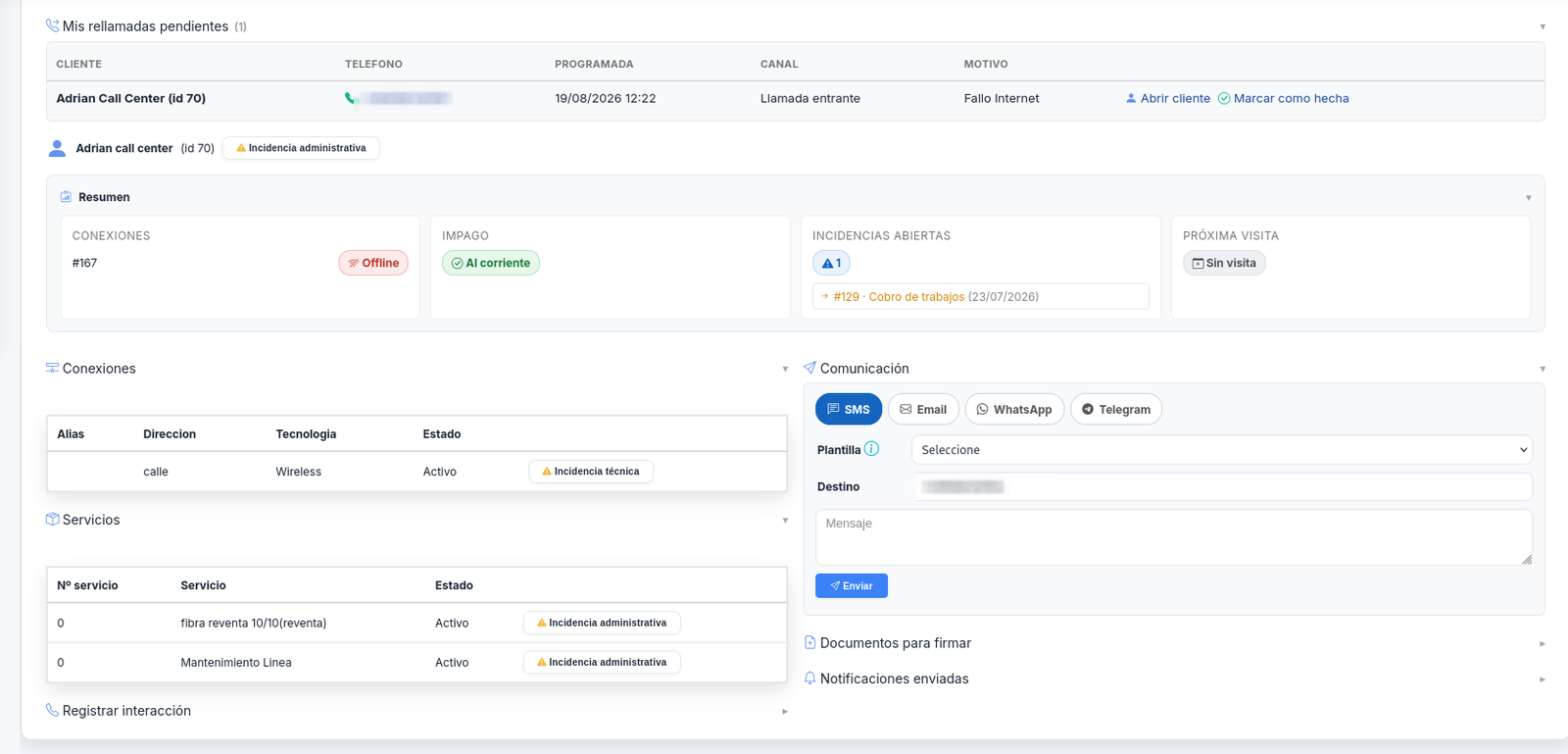
A single screen for support: you find the customer while they are talking, see whether they are suspended for non-payment, whether there is an open outage on their site and when they last paid. You open the ticket, book the appointment or take the payment without leaving. It runs in kiosk mode, so whoever answers does not see the rest of the system.
The moment you pick upIdentified by phone number, with the customer's status and services on screen.
Area outageIf the site is down you see it before opening the fifth duplicate ticket.
Everything loggedEvery action stays in the customer's history, with the user and the time.
your-operator.wispcontrol.com / call-centre
Whoever answers sees the pending callback, whether the account is up to date, the open ticket and their connections, and writes to them by SMS or WhatsApp without changing screen.
Time tracking
Clock-in and clock-out, breaks, shifts and corrections, with a signed monthly record. It meets working-time recording rules without buying another application.
Clock in from the computer or the phone
Autopilot when someone forgets to clock in
Holidays and absences, with approval
Monthly report signed by the employee
Task management
Every user has their own list under My Profile: they note down what they have to do, with a date or without one, and drag it onto the calendar when they decide when.
Private tasks: only the person who created them sees them
Daily, weekly or monthly repetition
Advance reminder on screen or by email
The team sees the slot as «busy», without seeing what it is about
Calendars that cross-check
The technician calendar, the sales calendar and personal tasks are all the same time. Nobody books an installation on the day the technician is on holiday.
Installation and fault appointments per technician
Sales visits and follow-ups
Holidays blocking the scheduler
Weekly view on the dashboard
Everyone builds their own dashboard
The dashboard is not the same for the person doing the billing as for the one climbing a tower. Each user places the widgets that are useful to them, sizes them however they like and hides the rest. It is saved for them.
Widgets you drag and resize
Hide what you don't use and bring it back whenever
The layout is saved per user, not per company
Tickets, network, sign-ups, traffic and diary at a glance
What would it cost in your case?It depends on the services you bill. We'll send it in writing within 24 working hours.
That is why we do it for you. You don't bill for real until the first test cycle matches the previous month to the cent.
Week 1
Analysis and data load
We review your current database and set up the environment with your real customers, contracts and balances.
Week 2
Configuration
Plans, bundles, invoice series, taxes, invoice templates and permissions per user.
Week 3
Red
We connect routers, OLTs, RADIUS and ACS, and test activations and suspensions.
Week 4
Training and go-live
Sessions by role (administration, technicians, sales) and your first month-end with us alongside.
Half an hour of demo and you see it with data like yours
You tell us how many customers you have, what network you run and what is costing you the most time. We show you exactly that part, not a presentation.



































 José Giménez